 On-device translation
OverLens: the on-device screen translator for iPhone.
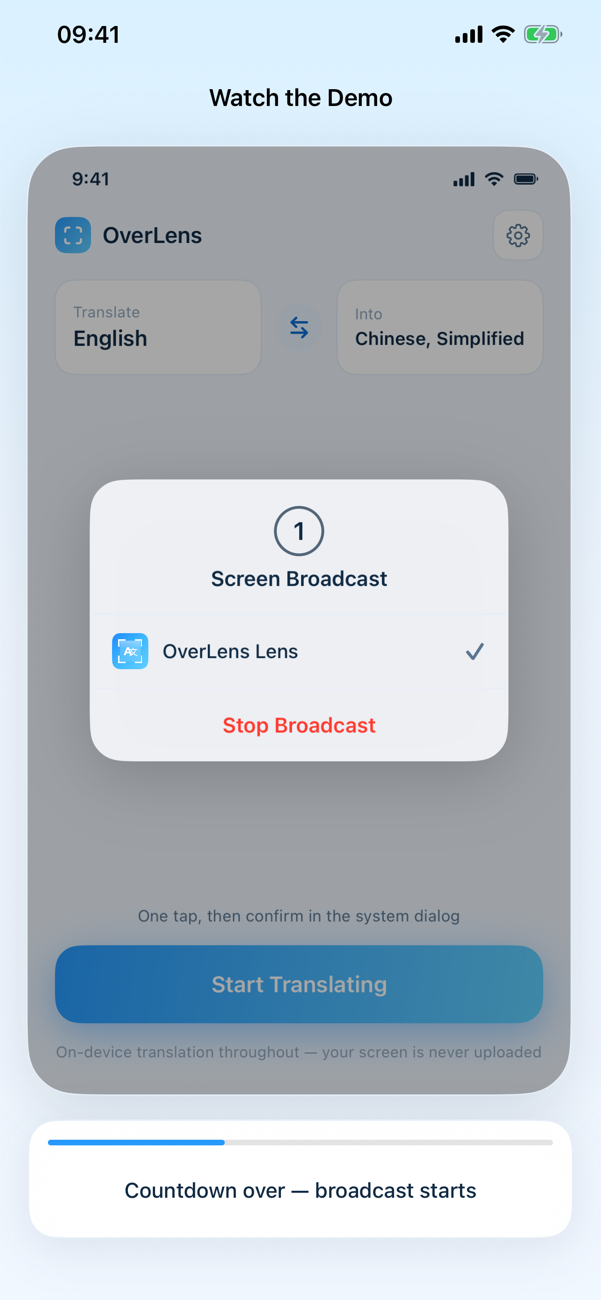
OverLens is a screen translator for iPhone: start a screen broadcast and a small lens hovers over whatever app you are in, reading the screen with on-device OCR and redrawing Apple's translation right back into the lens. Offline language packs make it an offline screen translator too — and your screen never leaves the device. Pay once, no subscription.
Why OverLens
Floats over any app
Games, manga, chats, menus — if it renders text on your screen, OverLens can read it. Drag the lens where you need it and the translation appears in place.
100% on-device OCR + translation
Recognition and translation both run locally with Apple frameworks and downloadable offline language packs. No screenshots uploaded, no accounts — private by architecture.
Pay once, no subscription
OverLens is a one-time purchase with a free trial that ends only when you have actually used it up. No monthly plan quietly renewing, no feature wall appearing mid-game.
Who it's for
Built for anyone staring at a screen they cannot read.
Players deep into a Japanese or Korean game that never got a localization use OverLens as a game screen translator for iOS — drop the lens over the dialogue box and keep playing. Manga readers use it as an on-device manga translator app, dragging the lens across panels instead of screenshotting every page into a cloud service.
It is just as useful outside entertainment: chats with family in another language, menus and signs captured in other apps, any screen that renders text you cannot read. If you have ever wanted to translate any app on iPhone without leaving it, this is the tool.
Why not a screenshot translator
No uploads, no round-trips, no subscription.
Screenshot translators make you capture the screen, send it to a server, and wait for the result — then repeat for every new line of dialogue. OverLens works differently: start a screen broadcast and a picture-in-picture translator window floats over the app, reading the text with on-device OCR and redrawing the translation right back into the lens, in place.
Because recognition and translation both run locally with Apple frameworks and downloadable offline packs, it works as an offline OCR translator for iPhone — you can translate the screen without internet, and nothing is ever uploaded. And unlike subscription apps, OverLens is a one-time purchase: screen translation with no subscription quietly renewing next month.
Read any screen like it was made for you.
Download OverLens, drop the lens over the app you cannot read, and watch the translation appear — entirely on your device.
Download on the App StoreFAQ
Questions, answered.
Is OverLens free?
OverLens is a one-time purchase with a free trial — and the trial ends only when you have actually used it up, not after an arbitrary number of days. There is no monthly plan and no feature wall appearing mid-game: screen translation with no subscription.
Does OverLens work offline?
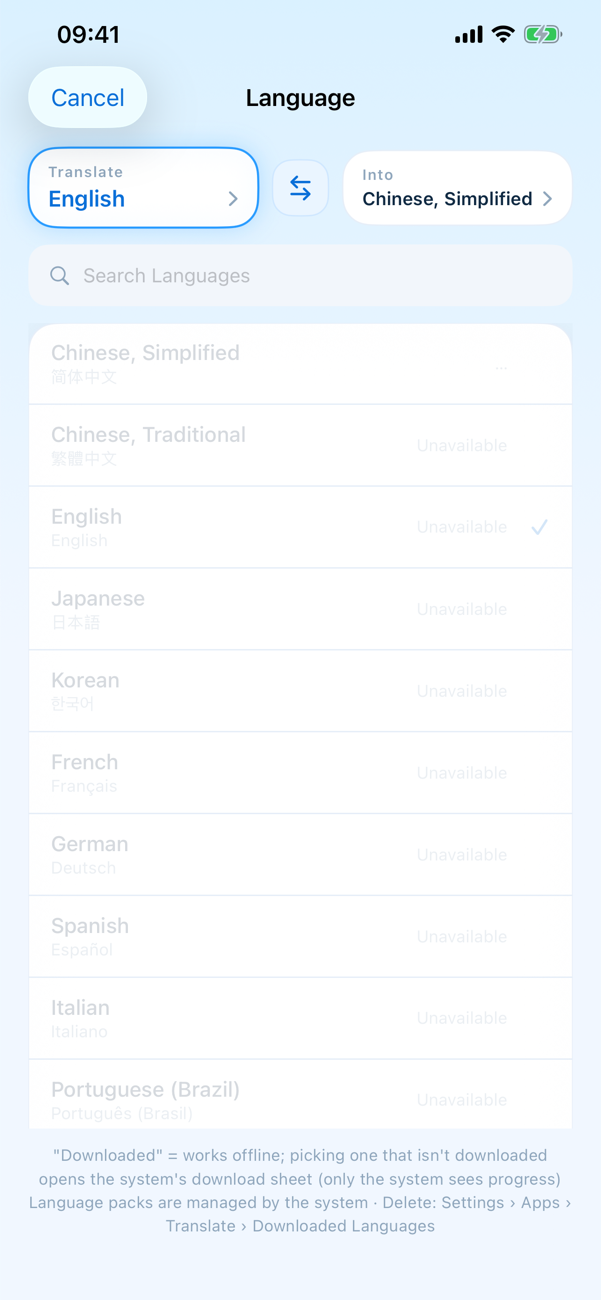
Yes. OCR and translation both run on-device with Apple frameworks, and language packs are downloadable in advance. Once the pack for your pair is installed, you can translate the screen without internet — on a plane, in the subway, anywhere.
Does OverLens upload my screenshots?
No. Recognition and translation run 100% locally, no screenshots are uploaded and there are no accounts. Your screen never leaves the device — private by architecture, not by policy.
Which apps and languages does OverLens work with?
Any app that renders text on your screen — games, manga readers, chats, menus. The language picker covers pairs like English into Chinese, Japanese, Korean and more, each with an offline pack you can download ahead of time.
How is OverLens different from Google Lens or screenshot translation apps?
Cloud translators make you take a screenshot, upload it, and wait. OverLens is a floating translation lens: start a screen broadcast and a picture-in-picture window hovers over the app you are in, reading it with on-device OCR and redrawing the translation in place. Nothing to upload, nothing leaving your iPhone.
More from Twelvefold
Tools that pair well with this one.
 CrafteeRound corners & AI cutout for iPhone
 LatentPrivate AI image generator
 TalkaAI English speaking coach
 QRacadeAnimated QR code generator
 SoarlyticsPublic X (Twitter) stats
 NYC HustleRetro pixel trading game
 Da Siu YanHong Kong villain-hitting ritual
 WHEEFree browser mini games