 iOS photo tools
Craftee: K-pop photocard maker, round corners & AI cutout.
Craftee is a pocket photo toolkit for iPhone. Round image corners with any radius, lift a subject onto a transparent background with on-device AI, keep a single color in black-and-white, or build collage cards and K-pop photocards on a freeform canvas — no layers, no timelines, no design degree. Five focused tools, every one free; 20 exports included, Pro unlocks unlimited.
Five tools
Everything Craftee does, one photo at a time.
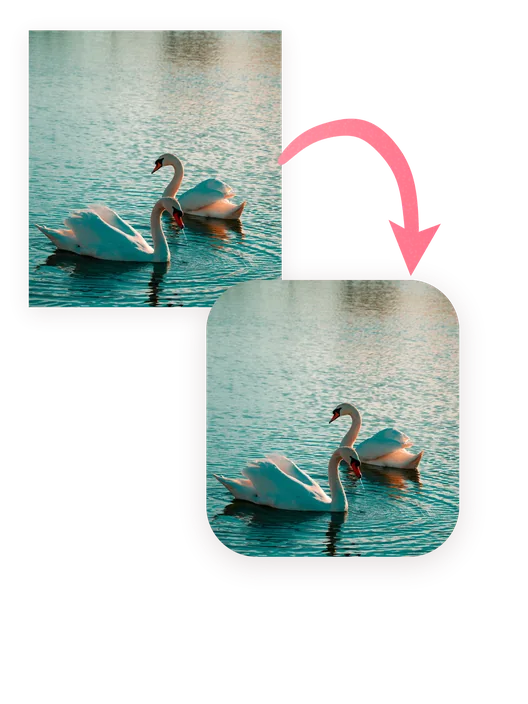
Rounded corners with any radius
Pick a photo and drag the radius slider — from a subtle softening to a full squircle, the same continuous curve Apple uses for app icons. Per-corner presets and a one-tap Best radius suggestion, plus batch rounding for up to nine photos at once.
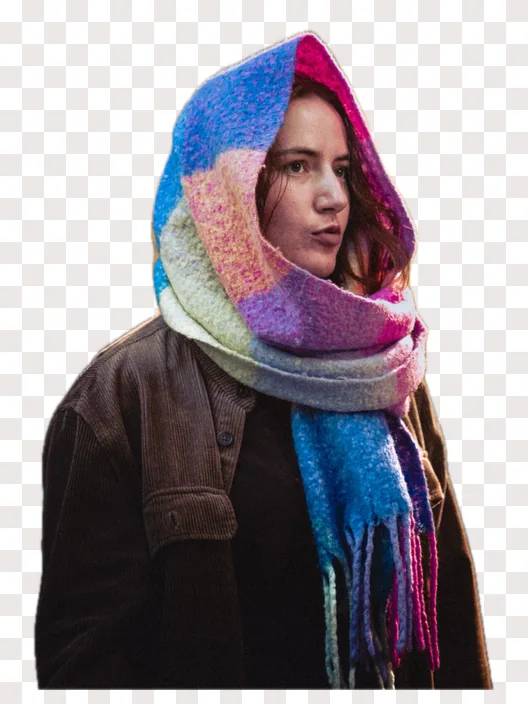
One-tap AI cutout to transparent PNG
On-device AI lifts the subject off its background in a single tap and exports a clean transparent PNG. Nothing is uploaded — it runs on Apple’s Vision framework, so Craftee works in Airplane Mode.
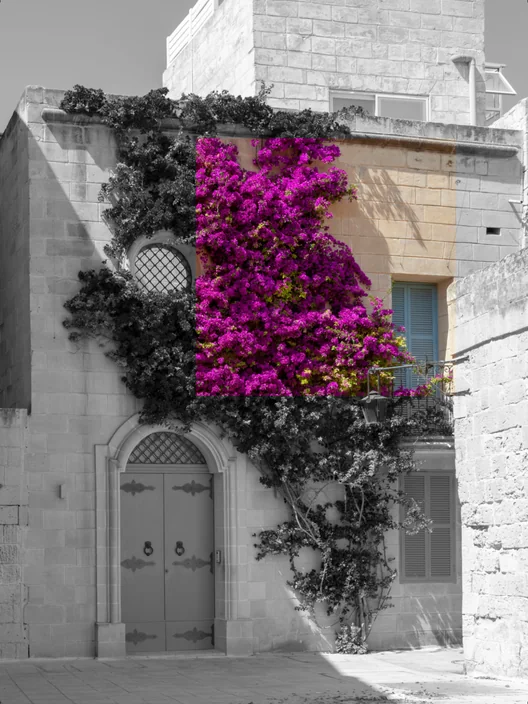
Color Splash: keep just one color
Turn the whole photo black and white, then paint the color back with a brush or drag a box around the part you want to keep. Long-press to peek at the original, undo any stroke, and export the contrast.

Free collage on your own canvas
Pick a ratio — the usual social shapes, or the Photocard preset fixed at 55:85 — and a background, then place photos, text and vector stickers anywhere. Drag, scale and rotate each piece; cutout PNGs drop in as stickers, and exports stay transparent.
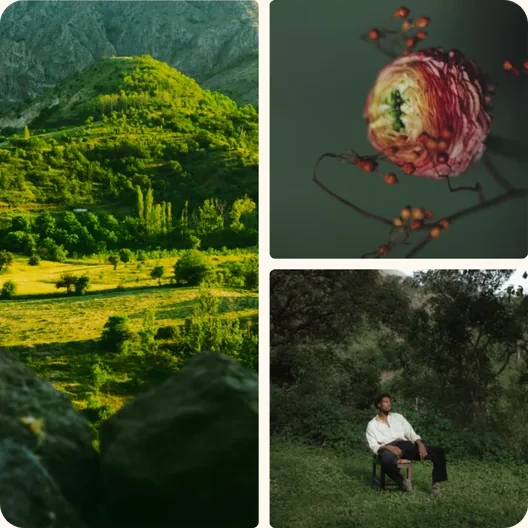
Template collages that snap into place
Choose a ready-made layout for one to nine photos. Every frame is already placed: tap a slot, pick a photo, and it snaps in. Photos stay inside their own frames, so nothing drifts into the next cell.
Who it's for
Built for iPhone users who need a finished image, not a project.
Craftee is for anyone who wants a done photo in seconds rather than a canvas to fuss over. Social media managers round corners on avatars and post graphics to match a brand look; sellers and creators use the one-tap AI background remover to cut a subject out of a photo and get a transparent PNG for listings and thumbnails — all on-device, straight from the camera roll.
It doubles as a photo collage maker for iPhone when one frame is not enough. K-pop fans pick the Photocard ratio, drop cutout stickers, text and vector shapes onto the 55:85 canvas, and export a card that slides straight into a sleeve; everyone else gets a quick photo collage app for stories and group shots without learning a design tool.
Why not a full editor
Five focused tools instead of one heavy editor.
General photo editors bury rounded corners behind masks and layers. In Craftee each tool is a straight line: pick a photo, drag the radius slider — or take the one-tap Best suggestion — and export. Per-corner presets, a true squircle curve, and batches of up to nine photos make it the fastest free image corner rounder on iOS, with no watermark on your exports.
The cutout, Color Splash and collage tools follow the same rule, and so does privacy. Everything runs on-device with Apple’s Vision framework, so Craftee works in Airplane Mode and nothing is ever uploaded — a photo editor for iPhone with no upload and no privacy trade-off. Exports are transparent-background PNGs up to 2048px, ready for whatever comes next.
Your next avatar is ten seconds away.
Download Craftee free and round, cut out, or collage the photo already in your camera roll. Twenty exports on the house — Pro when you need more.
Download on the App StoreFAQ
Questions, answered.
Is Craftee free?
Yes. Every feature is free — rounding, AI cutouts and the collage editor alike — and the free tier includes 20 exports with no watermark. Pro removes the export limit: $8.99 a year, or $14.99 once, forever.
Do my photos leave my phone?
No. Everything is computed on-device with Apple's Vision framework — rounding, subject cutouts and collage exports. Nothing is uploaded; Craftee works in Airplane Mode.
Can I make K-pop photocards or collage cards?
Yes — that is the collage card editor. A freeform canvas with the usual social ratios plus a Photocard preset fixed at 55:85, the size official K-pop photocards and their sleeves are built around. Photos, text and vector stickers drag, scale and rotate; cutout PNGs drop in as stickers, and exports are transparent-background PNGs up to 2048px.
Is Craftee the same app as PhotoCraft?
No — different apps from different teams. PhotoCraft is a free, open-source photo editor that runs on desktop; Craftee is an iPhone-first toolkit for quick rounded corners, AI cutouts and collage cards. If you were looking for PhotoCraft on iPhone, Craftee covers the fast on-phone edits.
Is Craftee on Android?
Not yet. Craftee needs iOS 15 or later and runs on iPhone and iPad. An Android version is in the works.
More from Twelvefold
Tools that pair well with this one.
 LatentPrivate AI image generator
 TalkaAI English speaking coach
 OverLensOn-device screen translator
 QRacadeAnimated QR code generator
 SoarlyticsPublic X (Twitter) stats
 NYC HustleRetro pixel trading game
 Da Siu YanHong Kong villain-hitting ritual
 WHEEFree browser mini games