Craftee / Guide
K-pop photocard maker for iPhone.
Official photocards are random, rare, and expensive. Making your own is the fandom's answer — and with Craftee it takes minutes: cut out your bias with on-device AI, compose the card on a freeform canvas, and export a print-ready PNG. No design tool, no uploads, no watermark.
Updated 8 November 2026
The basics
What size is a K-pop photocard?
An official photocard is small — about the size of a playing card, a fraction narrower. That size is not decoration: sleeves, toploaders and binder pages are all cut to fit it, so a card that matches slides straight in with the rest of your collection. The exact size is 55 × 85 mm (roughly 2.2 × 3.3 inches). Special editions drift by a millimetre or two depending on the group and album, but 55 × 85 mm is what everything else is built around. In Craftee this is the Photocard preset — the last entry in the ratio list — so the canvas is already this shape.
Hitting that size needs no design file and no scanner. A normal iPhone photo already carries more detail than a card this small can use, and Craftee exports transparent PNGs up to 2048px on the long edge — while a sharp card only asks for about 650 × 1000 px. In plain terms: shoot, cut out, export. Nothing gets stretched.
| Measurement | Photocard |
|---|---|
| Card, in millimetres | 55 × 85 mm |
| Card, in inches | 2.17 × 3.35 in |
| Pixels at 300 DPI | 650 × 1004 px |
| Pixels at 600 DPI | 1299 × 2008 px |
| Cards on one A4 sheet | nine (three rows) |
| Cards on one US Letter sheet | six (two rows) |
Prefer to design it yourself in another app? Download a free 55 × 85 mm photocard template — print sheets for A4 and US Letter, blank 300 DPI and vector canvases, polaroid and bordered frames, card backs, and a bleed file for a print shop.
How it works
Three steps from camera roll to photocard.
1. Cut out the subject.
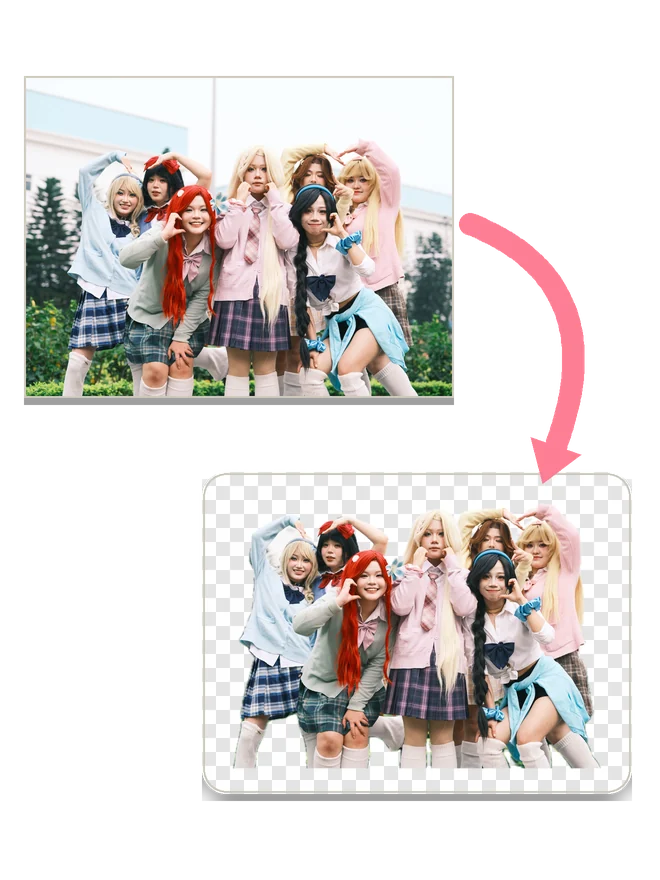
Open Tools → AI Cutout, pick a photo — a concert shot, a selfie, a downloaded teaser — and tap once. The on-device model lifts the subject onto a transparent background; nothing is uploaded, and it works in Airplane Mode. Tap Collage at the bottom and the cutout lands in the editor as your first sticker.
2. Compose the card.
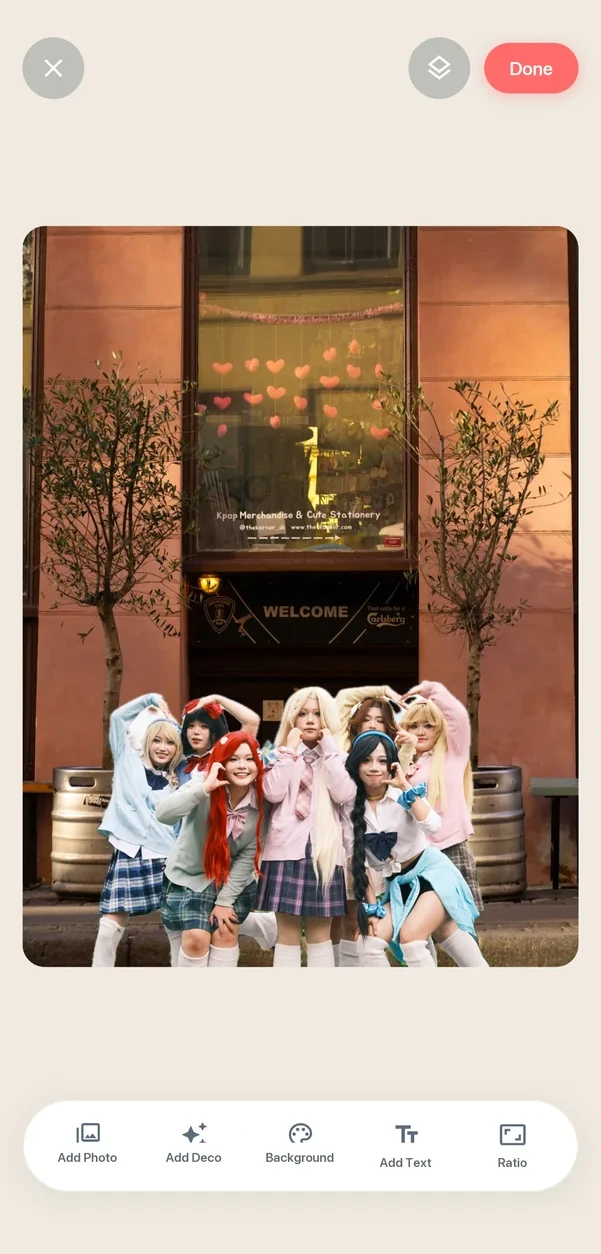
In the editor, tap Ratio at the bottom and choose Photocard — the canvas switches to 55:85, the shape of an official card, so nothing needs cropping later. Starting from scratch instead? Collage → Free Collage → Choose Ratio → Photocard does the same before you add anything. Pick a background, add photos with Add Photo, then drag, pinch and rotate your text and stickers into place.
3. Export and print.
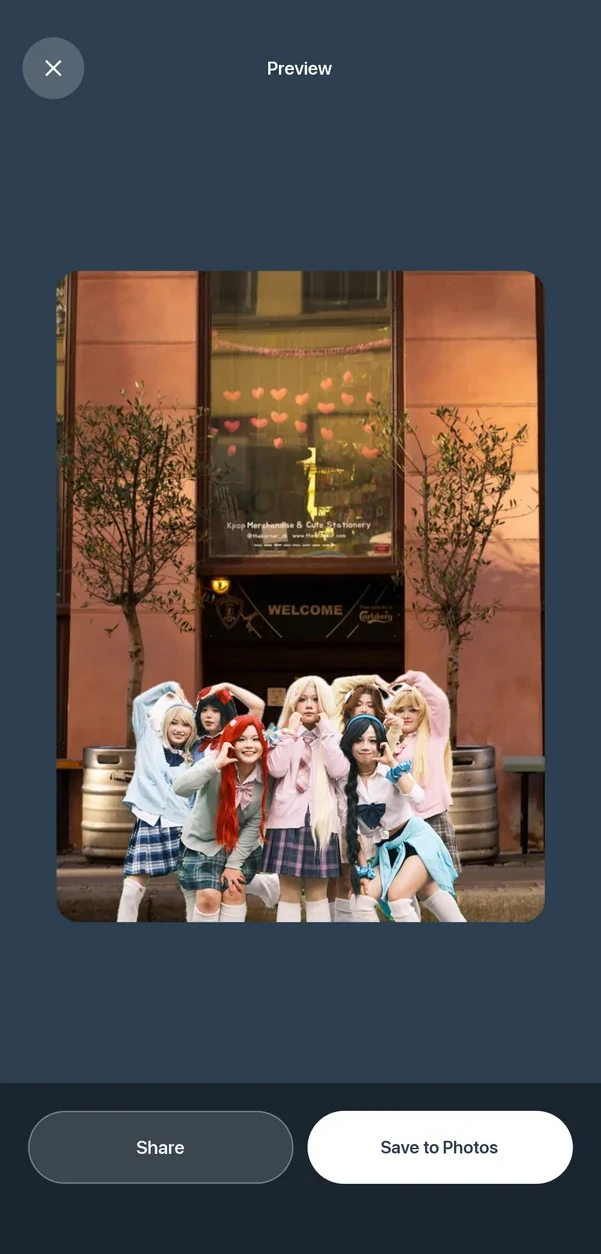
Tap Done → Save to Photos. Print at 100% scale on glossy cardstock so the card comes out 55 × 85 mm, trim it, and slide it into a sleeve. Twenty exports are free, with no watermark.
More tools
Four tools, one card.
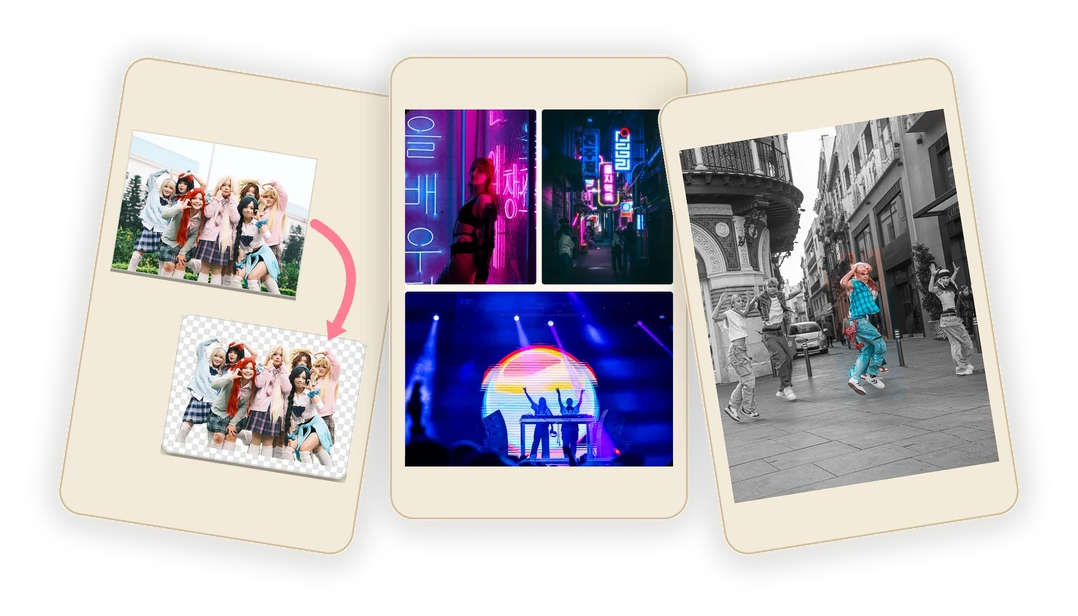
AI Cutout
Pick a photo and tap once: the subject comes off its background as a transparent PNG — the grey-and-white checkerboard is simply what “no background” looks like. It runs on the phone, so a concert shot never gets uploaded, and the cutout drops straight into the card editor as a sticker.
Template Collage
The fast path when you would rather not place everything by hand. Pick a ready-made layout for one to nine photos, tap a slot, and the photo snaps into its frame — the frames stay put, so nothing drifts into the next cell. Good for a four-cut style card, a group shot next to a selfie, or a stage photo with the card back.
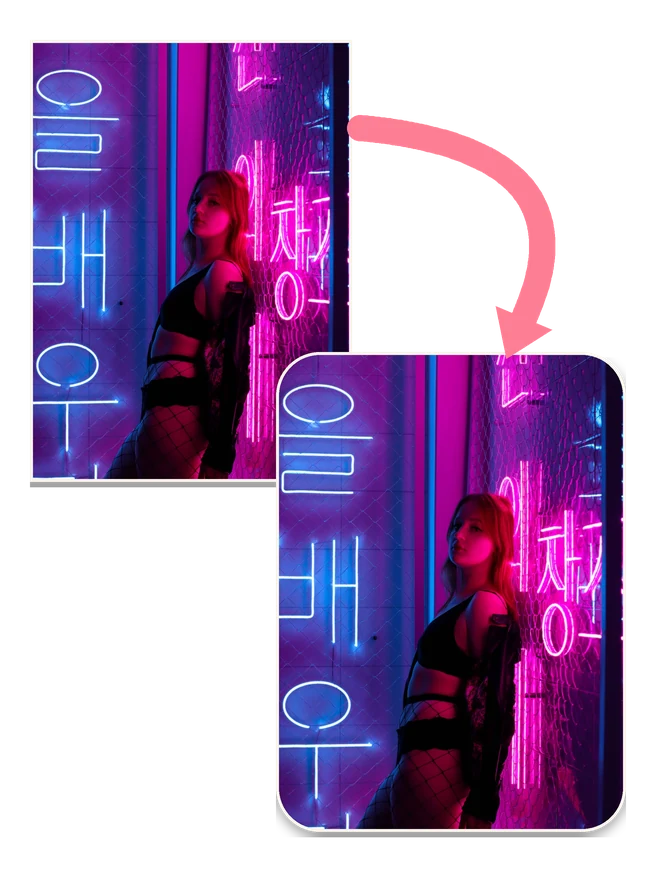
Rounded Corners
Softly rounded corners are most of what makes a card read as official rather than printed at home. Drag the radius until the curve matches a real photocard, or take the one-tap Best suggestion, then round up to nine photos in one pass before you lay the card out.
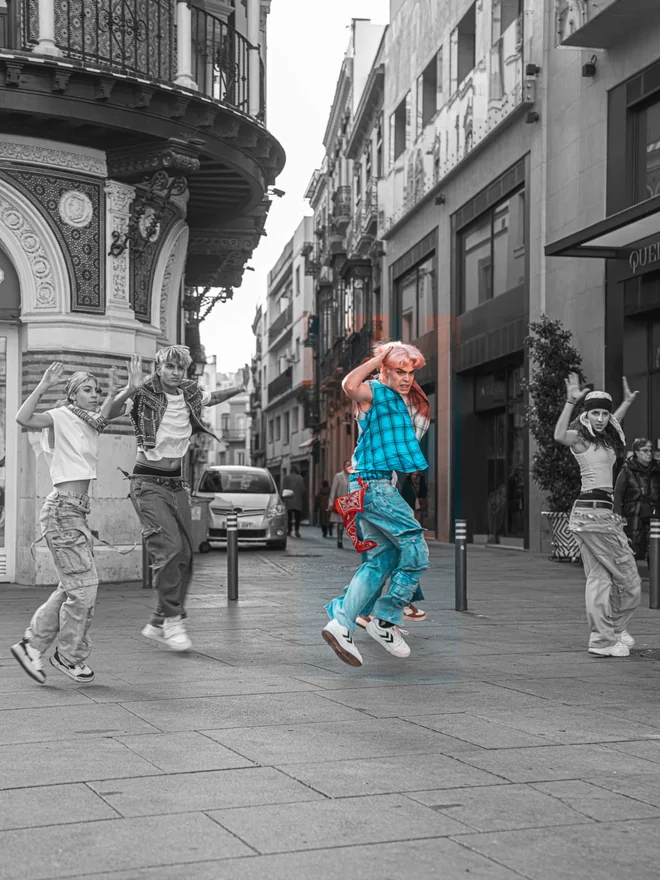
Color Splash
Turn the whole card black and white, then paint one colour back in — a lightstick, a hair streak, the lettering on a jacket. Brush it by hand or drag a box around the part you want to keep, and long-press to peek at the original. The quickest way to make a card look art-directed instead of filtered.
How it compares
Craftee, Canva, or a plain photo editor.
| Canva | Phone photo editor | Craftee | |
|---|---|---|---|
| Exact 55:85 canvas | Custom size in mm | Crop to 3:4, then guess | Photocard preset |
| Where it runs | Browser — photos upload | On the phone | On the phone |
| Free exports | Free tier, paid assets | Usually free | 20 free, no watermark |
| Fastest path to a card | Design, then export | Crop and hope | Two minutes, three taps |
Canva is the stronger tool when you want forty layout variants, brand fonts and a desktop workflow — it handles a custom 55 × 85 mm canvas, and there is no argument here about that. What it costs you is an account, an upload, and a design session.
A plain photo editor gets the photo right but not the card. 3:4 is close to 55:85, and close is exactly what makes a card come out two millimetres off and refuse to sit flat in a sleeve. Craftee’s whole point is that the canvas, the cutout and the export are already the right shape.
Printing tips
From PNG to a card that looks official.
Paper makes the card. Glossy photo cardstock in the 230–300 gsm range gives the closest feel to an official photocard; matte works if you prefer a softer look. Print at 100% scale — turn off "fit to page" — so the 55 × 85 mm dimensions survive.
If a print shop asks how big the file should be, the number is 300 DPI at final size — for a 55 × 85 mm card that works out to about 650 × 1000 px. A Craftee export runs up to 2048px on the long edge, so it clears that bar with room to spare.
A corner rounder finishes the job: official cards have softly rounded corners, and trimming with scissors alone rarely looks right. Once trimmed, sleeve every card immediately — standard photocard sleeves are sized for 55 × 85 mm, and the same sleeves fit in any photocard binder.
Two shortcuts from here: download the free 55 × 85 mm template (A4 or Letter, nine or six cards per sheet, crop marks included), or read the full guide to printing photocards at home for paper, printer settings and trimming.
FAQ
Questions, answered.
What size is a K-pop photocard?
About the size of a playing card, a fraction narrower: 55 × 85 mm (roughly 2.2 × 3.3 inches). Some groups and special editions vary by a millimetre or two, but 55 × 85 mm is the size standard sleeves and binders are built for, so it is the safest target for a fan-made card.
Is Craftee free for making photocards?
Yes. The collage card editor is fully free, and the free tier includes 20 exports with no watermark. If you make photocards in bulk, Pro removes the export limit: $8.99 a year, or $14.99 once, forever.
Can I make photocards for any group or idol?
Yes. You start from your own photos — concert shots, selfies, downloaded teasers — so any group, bias, or theme works. The on-device AI cutout lifts the subject onto a transparent background, and the freeform canvas has no fixed templates to fight against.
Will the exports look sharp when printed?
Yes. Craftee exports transparent-background PNGs up to 2048px on the long edge. At the standard 55 × 85 mm card size, printing at 300 DPI needs only about 650 × 1000 pixels, so the export has resolution to spare.
Can I sell photocards I make with Craftee?
Fan-made cards for your own collection and free trades are a long-standing fandom practice. Selling copies of official photos, logos, or album artwork can infringe the rights of the artists and agencies — when in doubt, keep it personal.
Is Craftee on Android?
Not yet. Craftee needs iOS 15 or later and runs on iPhone and iPad. An Android version is in the works.
More from Twelvefold
Tools that pair well with this one.
 CrafteeRound corners & AI cutout for iPhone
 LatentPrivate AI image generator
 TalkaAI English speaking coach
 OverLensOn-device screen translator
 QRacadeAnimated QR code generator
 SoarlyticsPublic X (Twitter) stats
 NYC HustleRetro pixel trading game
 Da Siu YanHong Kong villain-hitting ritual
 WHEEFree browser mini games